AI Books a Google Calendar Appointment Live During a Phone Call. Here's the Proof.
Category: Integration | By: Sumit Khanna, founder of Voizematic | Published: | Updated: | Read time: 6 min read
Voizematic books calendar slots and sends Gmail confirmations during the call, not after it ends.
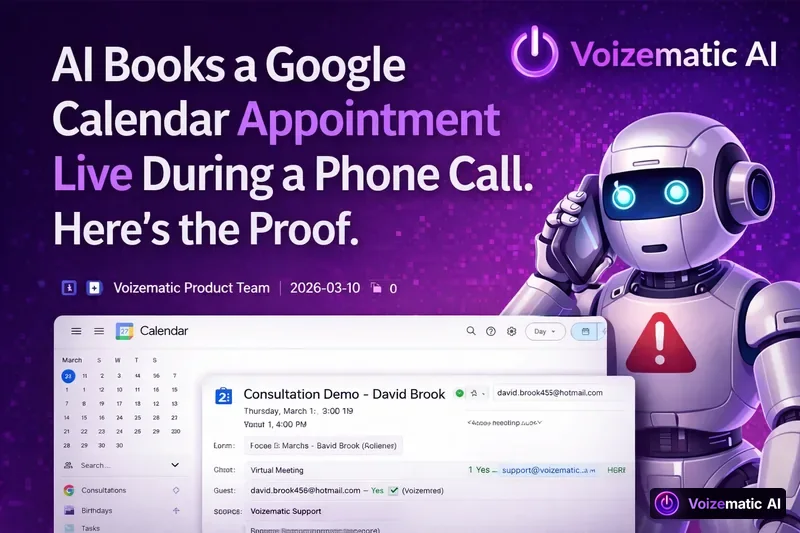
When a caller asks to book a slot, Voizematic AI can check Google Calendar, create the appointment, and send a Gmail confirmation while the call is still live. That is possible because the agent has direct access to Calendar and Gmail during the conversation, so the booking happens in real time rather than through a separate post-call step.
What is happening during the call?
Voizematic AI is a platform for building and running AI voice agents that make and receive phone calls. During a live call, the agent can use connected tools to handle the scheduling work there and then.
In practice, that means the caller can speak naturally, the agent can understand Hindi, English, and code-mixed speech, and the booking flow can continue without handing the task off to a person after the call ends.
The key point is simple: the appointment is not created as a delayed follow-up. It is created while the conversation is still going on.
How does the Google Calendar booking work?
Voizematic agents can book appointments into a connected Google Calendar during the call. The agent can check availability, offer suitable slots, and place the event directly on the calendar once the caller agrees.
This matters because the caller does not need to wait for a manual callback or a later email thread. The call itself becomes the booking channel.
Suppose a clinic receives an incoming enquiry about a consultation. The caller says they are free tomorrow afternoon. The agent checks the connected calendar, offers open slots, books the appointment, and continues the conversation with the confirmed time. No separate scheduler needs to step in.
How does Gmail confirmation fit into the same call?
Voizematic agents can also send email through Gmail during the call. So once the appointment is created, the confirmation can go out immediately from the connected Gmail account.
This gives the caller a written record at once, while the details are fresh. It also keeps the process within one conversation, which is cleaner than creating the booking in one system and asking a human to follow up in another.
Because the agent has live access to Gmail, the confirmation does not depend on a later automation chain. The email is sent as part of the call flow itself.
Why does live booking matter more than post-call booking?
Many booking setups work only after the call is over. The call ends, a workflow runs, and the calendar event is added later. That introduces delay and extra moving parts.
Voizematic avoids that by letting the voice agent act in the moment. The benefit follows from the mechanism:
- the caller stays engaged while the slot is being chosen
- the booking is confirmed before the conversation drifts away
- the email goes out while the details are still current
- there is less back-and-forth for staff to manage later
This is especially useful when a call is meant to end with a next step, such as a consultation, site visit, demo, or callback.
What else can the voice agent do in the same workflow?
Booking is only one part of the voice agent workflow. Voizematic also supports:
- inbound and outbound calling, including bulk campaigns
- sending email through Gmail
- booking appointments into Google Calendar during the call
- transferring a call to a human when needed
- per-caller conversation memory, so follow-up calls can continue with context
- logging every call to Google Sheets
- a Call Intelligence Engine that records sentiment, outcome, and next action per call
- 50+ languages with mid-call switching
- Hindi and English, including code-mixed speech
Voizematic also supports WhatsApp and Telegram agents alongside the voice agents, so the same contact flow can extend beyond phone calls if needed.
How do you get started with Voizematic?
There is no separate onboarding. Users sign up with any Gmail or Google Workspace account and log in directly.
After login, a voice assistant appears at the bottom-right of the panel. It can navigate the site, open pages, and explain features, so a demo or tutorial is not needed to begin.
To start using the platform, users add money to a wallet and begin. Billing is per connected minute, not per seat.
Every new account receives ₹150 of free calling credit. Phone numbers rent for ₹199 per month.
What does it cost to run AI calling and booking?
Pricing is per connected minute, with no monthly fee. GST is extra.
- Standard AI Voice: ₹4/min, falling to ₹3 as monthly volume grows
- Premium Real-Time AI: ₹9/min flat
The rate is set by the voice engine, not by the plan. Full pricing details are available at voizematic.ai/pricing.
For outbound calling, Voizematic also runs TCPA/DNC screening before dials, including FTC and state lists. That keeps the calling process tied to screening and compliance checks before the agent places the call.
So is the booking really live?
Yes. The point of the system is that the agent can use Google Calendar and Gmail during the call itself. The booking, the invite, and the email confirmation can all happen before the caller hangs up.
That is what makes the workflow different: the call is not just a conversation. It is also the moment when the appointment is created and the confirmation is sent.
About the author: Sumit Khanna is the founder of Voizematic and builds the platform's voice agents, telephony and billing. He publishes live call demos on the Voizematic YouTube channel.
About Voizematic: Voizematic is an AI voice agent platform that answers and places phone calls for businesses. Agents book Google Calendar appointments live during the call, send Gmail confirmations, run TCPA-compliant outbound campaigns and log every call to Google Sheets. Pricing is per connected minute — Standard from ₹4 ($0.05), Premium ₹9 ($0.11) — with no monthly fee.
← Back to Blog | See Pricing | Start free with ₹150 ($2) credit